How to Submit a Product on Vuru (Step by Step)
7 min read
The short answer
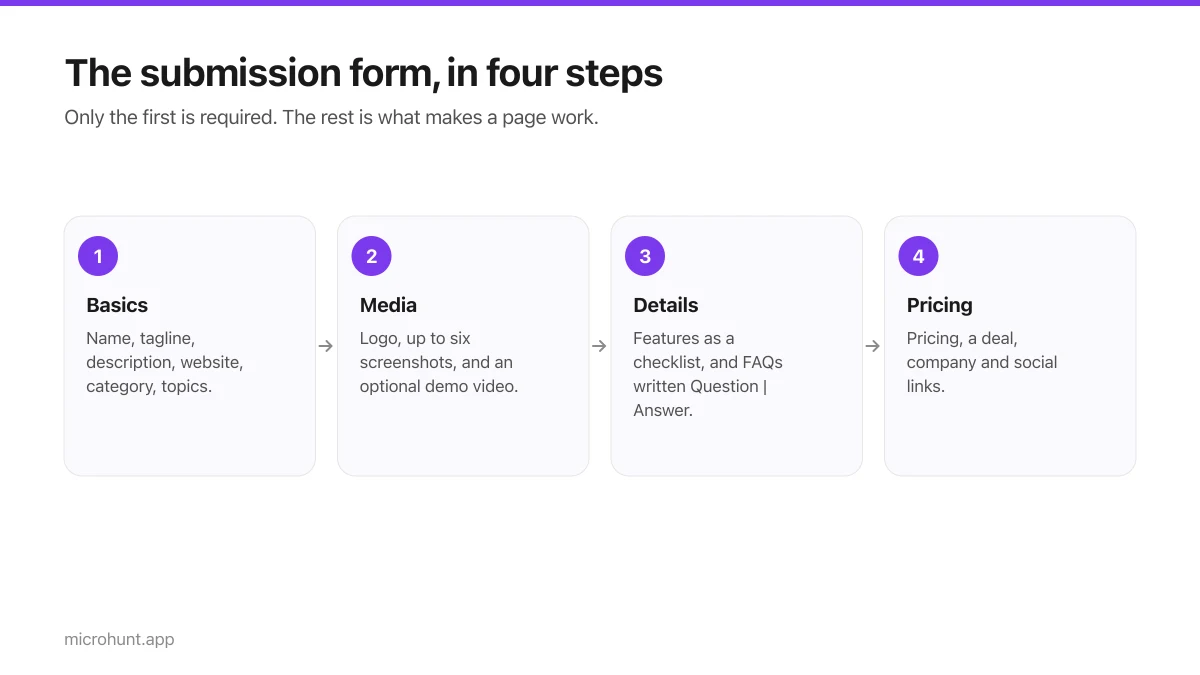
Sign in, open the submit form, and fill in the four sections: basics, media, details, then pricing and links. Only the first section is required, but products with screenshots, features and FAQs get noticeably more clicks than bare listings. Your launch goes live immediately and starts at zero upvotes.
The form takes about ten minutes if you have your material ready, and about forty if you write it as you go. We would gently suggest the first. Everything below is what each field actually does once your page is live.
Start at the submit page. You will need an account, which takes a moment to create.
Section one: the basics
This is the only required section, and it is where nearly all of the impact lives.
| Field | Where it appears | What to write |
|---|---|---|
| Name | Everywhere — feed, page title, search | The product name alone. Not the name plus a description. |
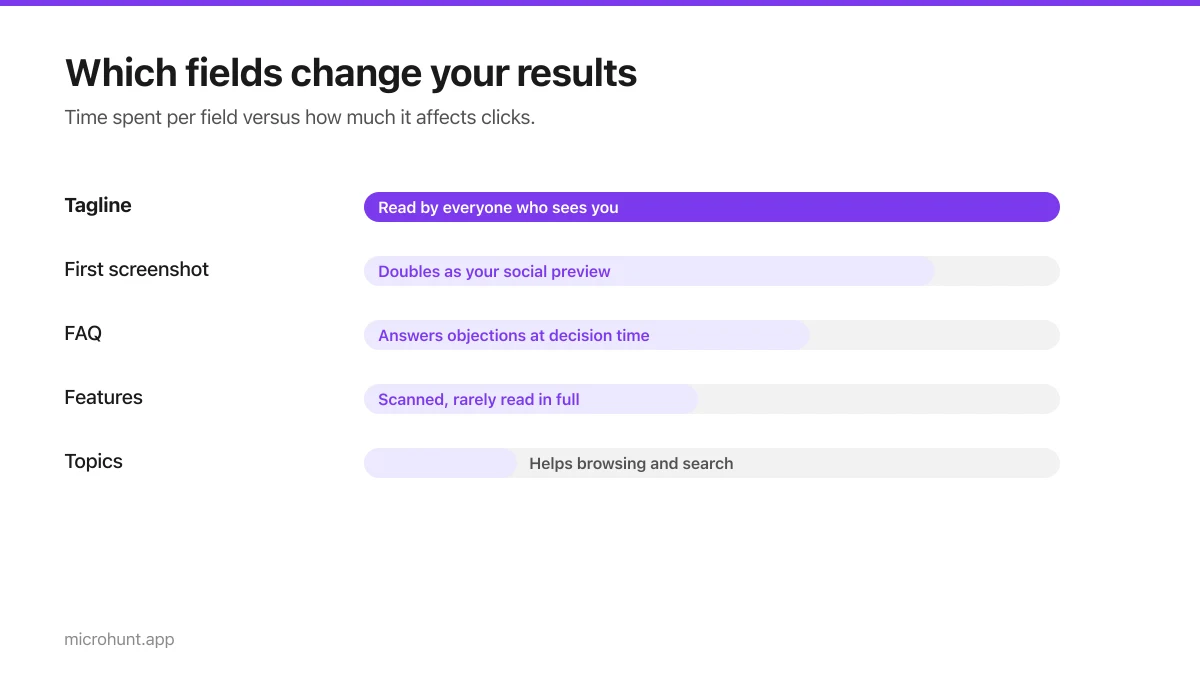
| Tagline | The feed, your page, search results, social previews | One specific sentence about what it does. This is the whole ball game. |
| Description | The About section on your page | Two or three paragraphs. Blank lines start a new paragraph. |
| Website | The Visit button | The product itself, not your Twitter or a waitlist if you can avoid it. |
| Category | Your page, and the category boards | One only. Pick where your buyer would look, not where it technically fits. |
| Topics | Chips under your name | Two or three, comma separated. |
Section two: media
This is where the difference between a listing people click and one they scroll past is decided. All three fields are optional and all three are worth doing.
- **Logo.** Uploaded, not linked. Square works best — anything else gets cropped to fit a square frame. PNG, JPEG, WebP or SVG, up to 5MB.
- **Screenshots.** Up to six, uploaded directly. The first becomes your social preview image, so lead with the one that explains the product fastest.
- **Demo video.** A YouTube or Vimeo link. It becomes the first slide of your gallery with a play button over it, the same way Product Hunt does it.
Screenshots are shown whole rather than cropped, so you do not have to worry about your image being sliced. Use real content in them. Empty states and placeholder text make a product look unfinished, and we see that read as "not ready" more than anything else.
Section three: details
Two fields, both under-used, both genuinely worth the five minutes.
Features
One per line. They render as a checklist on your page. Write capabilities, not adjectives — "Fixes LaTeX compile errors as they happen" rather than "Powerful and intuitive". Four specific lines beat twelve vague ones, and if a line could sit on a competitor's page unchanged, cut it.
FAQs
One per line, written as Question | Answer with a pipe between them. This is the most skipped field on the form and the one we would most like people to fill in. Answer the questions that make someone close the tab: is there a free tier and what are its limits, do you train on my data, which platform is missing, what happens if I stop paying.
Section four: pricing and links
- **Pricing.** Free, Freemium, Paid — whatever is true. Vagueness here costs you more than a high number would.
- **Deal.** An offer for people who find you here. It earns a Deal badge on your row and a listing on the deals page, which is one of the few free ways to stand out in a feed.
- **Company and social links.** X, GitHub, LinkedIn, YouTube, Discord and a contact email. These render as a row of links on your page and help with the trust question.
What happens after you submit
- 1Your page goes live immediatelyThere is no review queue. Your listing is public and indexable straight away.
- 2You start at zero upvotesEveryone does. Ranking is covered in how ranking works.
- 3You appear on your category boardAnd on the daily board for the launch window you land in.
- 4You can be reviewedAnyone with an account can leave a star rating and a written review, and you can reply to them as the maker.
One last thing: check your page on a phone before you tell anyone about it. Most people will see it there first, and a tagline that reads well on a laptop sometimes wraps badly on a narrow screen.
Frequently asked questions
- Do I need an account to submit a product?
- Yes. Submitting, upvoting and reviewing all require an account, which takes about ten seconds to create with an email address and password.
- Is there a review queue before my product goes live?
- No. Listings publish immediately. We remove things that break the content policy after the fact rather than gatekeeping before.
- Can I edit my listing after submitting?
- Product pages are built from what you submit. If you need something corrected, contact us and we will sort it — and fuller editing is on the roadmap.
- How many screenshots should I upload?
- Three to five is the sweet spot. One is not enough to explain most products, and past six people stop swiping. Lead with whichever image explains the product fastest, since it doubles as your social preview.
- What image formats can I upload?
- PNG, JPEG, WebP, GIF and SVG, up to 5MB each, with a maximum of six screenshots. Images are served from our own domain and converted for performance.
Keep reading
How Vuru Ranking Works (And How to Win a Badge)
Launch windows, upvotes, podium badges and what we do about vote manipulation — the whole ranking system explained plainly.
How to Write a Product Tagline That Actually Gets Clicked
The one line most people will ever read about your product, and a simple test for whether yours is doing any work.
The Seven-Day Launch Checklist
A day-by-day plan for the week before you launch, weighted towards the things that actually change the outcome.